Training providers
Software training modules, ready for your LMS.
A module on a piece of business software usually means hours of screenshots, editing and layout. With Oghamix, you go through the task once and come away with a demo split into chapters, with voice-over and a quiz, ready for Moodle, an LTI-compatible LMS or a SCORM package.
Your learners do the task instead of watching it.
What you get
Hands-on practice, without spending weeks on it.
-
SCORM, Moodle and LTI
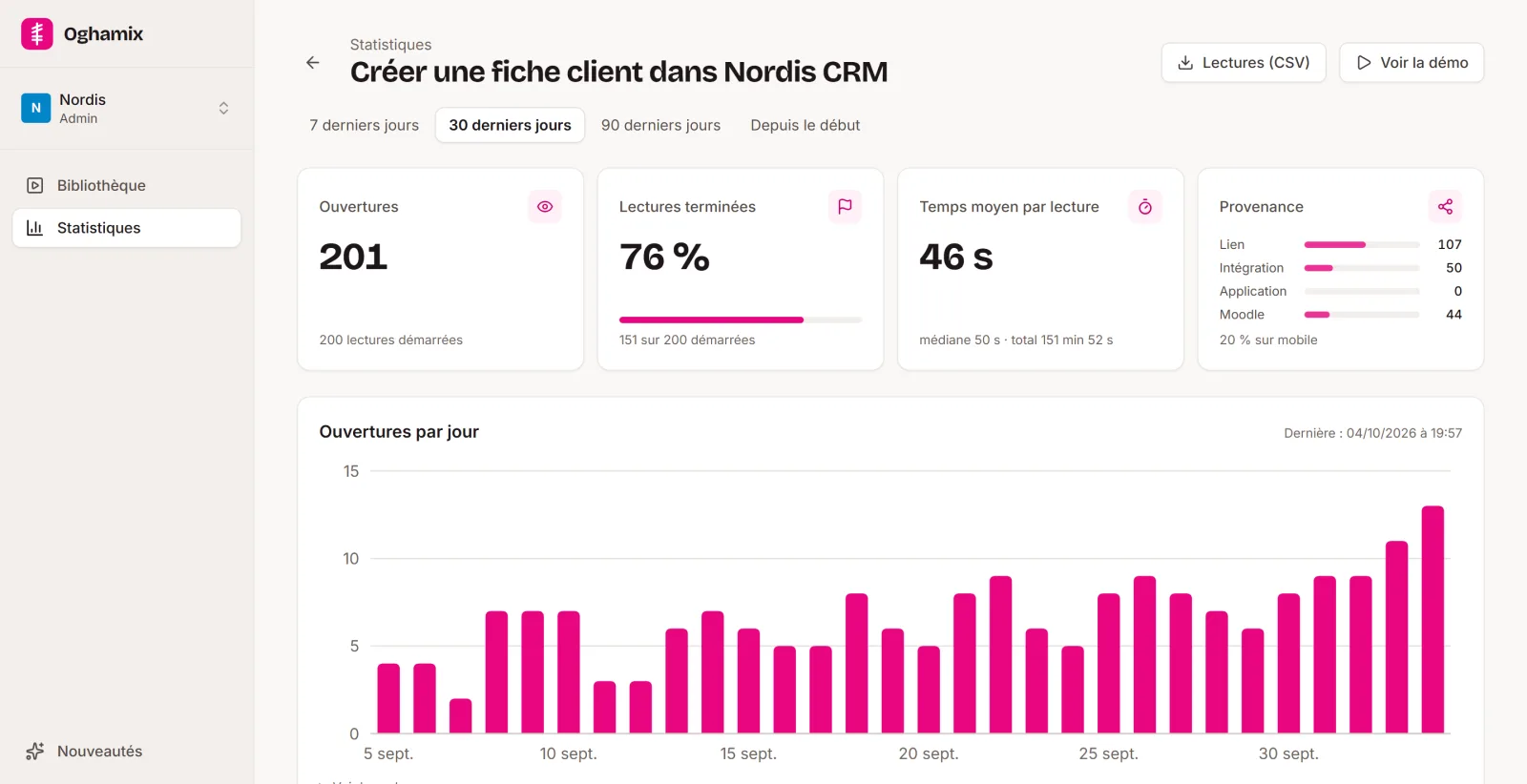
Progress, score and completion are reported in your LMS, just like your other activities.
-
Hands-on learning
Learners click through a faithful copy of the software themselves, with no risk of breaking the real thing.
-
Faster production
Text, voice-over, chapters and quizzes prepared by AI, or your Word and PDF guides reused as they are: you review instead of redoing everything.
-
Tracking and records
Per-learner statistics and quiz answers, useful as evidence for Qualiopi audits.
Built for training
The tools an instructional designer needs.
-
Quiz and score
Check questions along the way or a final quiz. The score comes from the quiz or from progress, with the pass mark you set.
-
Your existing materials
A Word or PDF step-by-step guide with screenshots becomes a demo, and a full guide becomes a module: nothing is wasted.
-
Paths by profile
At the start of the demo, learners say whether they are a trainer or a trainee and follow the path meant for them.
-
Voice-over and subtitles
A synthetic voice or your own, plus subtitles and accessibility settings for every learner.
-
Translation
A version of the demo in your learners' language, in one click.
-
Step-by-step guide
The same demo as a Word or PDF document, to hand out as course material.
A training provider too
Made by people who teach Moodle.
Every year, E-learning Touch' trains Moodle administrators and trainers. We know what a hand-made software training module costs, and what records of learner follow-up a Qualiopi auditor asks for.
Oghamix was designed around those constraints: produce quickly, publish in the LMS without workarounds, and keep each learner's progress.
How it works
From a task in your software to a SCORM module, in three steps.
Record
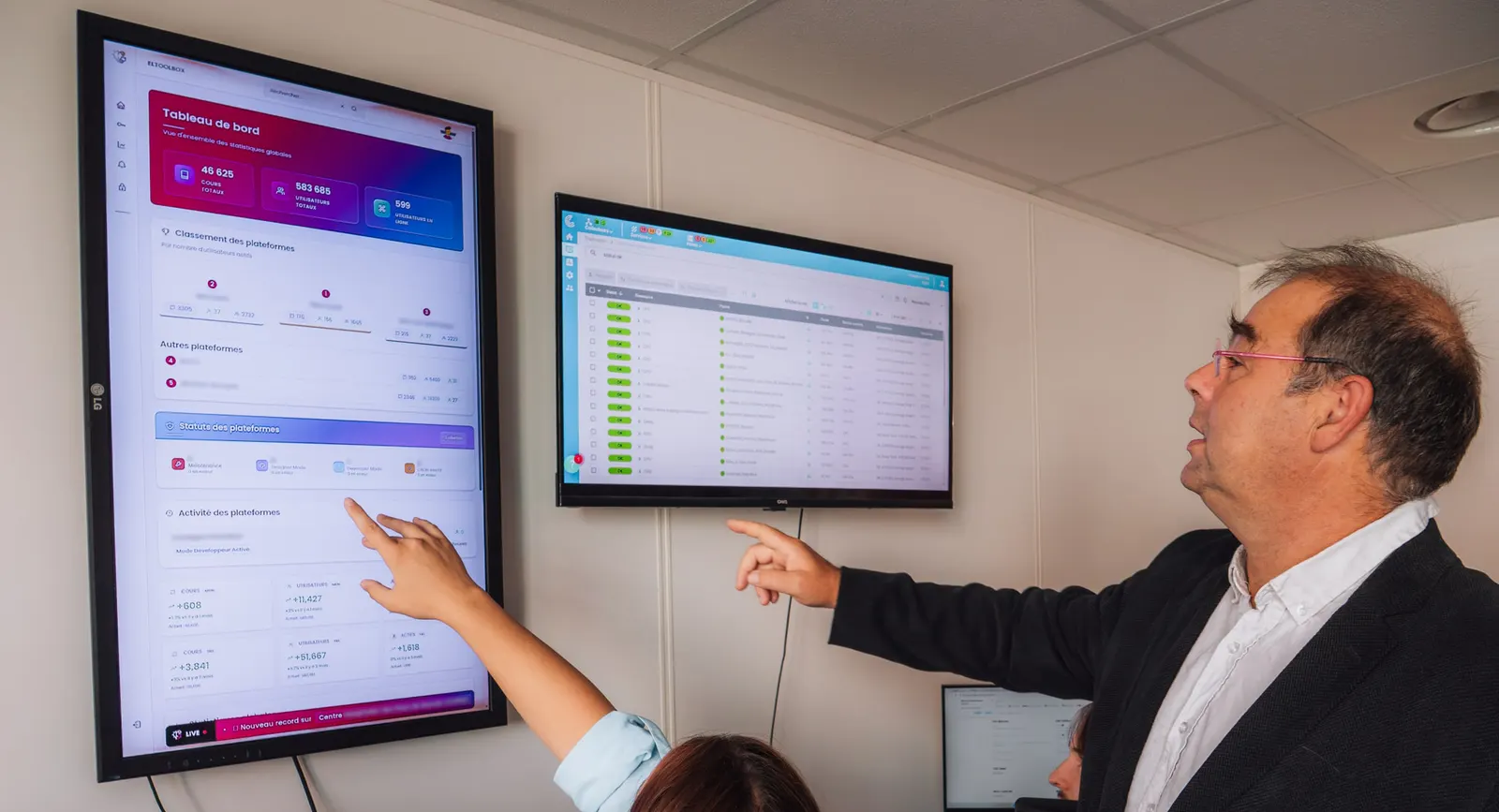
With the Chrome and Edge extension, go through the task in your software. Each click becomes a step, with its screenshot and the area to click. You can also film the screen, or start from an existing Word or PDF guide.
Polish
AI writes the titles and instructions, splits the demo into chapters, adds the voice-over and spots the data to blur. You review, adjust an area, add a quiz or branching paths.
Share
Share a link, embed the demo in a page, publish it in Moodle, through LTI or as SCORM, or export a Word or PDF guide and a video.
Questions
Frequently asked questions
Another question? Get in touch.
Do the demos work in our LMS?
Yes: as SCORM 1.2 or 2004 in any LMS, with the activity plugin in Moodle, and through LTI 1.3 in compatible LMSs. Progress, score and completion are sent back to your LMS.
How is the score calculated?
You choose for each demo: the quiz score, or progress (the percentage of steps completed). The pass mark is set per demo.
Does it help with Qualiopi?
For each learner who starts a demo from your LMS, Oghamix keeps their progress, time spent and quiz answers. These records help you show how learners were followed and assessed, for Qualiopi (the French training quality certification) or any similar audit. Named answers are kept for 13 months after the last view; score and completion stay in your LMS. Oghamix does not award any certification itself.
Is there a price for training providers?
Yes: 50% off licences for training providers, on presentation of your registration number as a training organisation (in France, the "numéro de déclaration d'activité").
Create your first software training module.
Create your free account and record your first demo in a few minutes. No credit card needed.