
Enterprises
Interactive guides so your teams can get on by themselves.
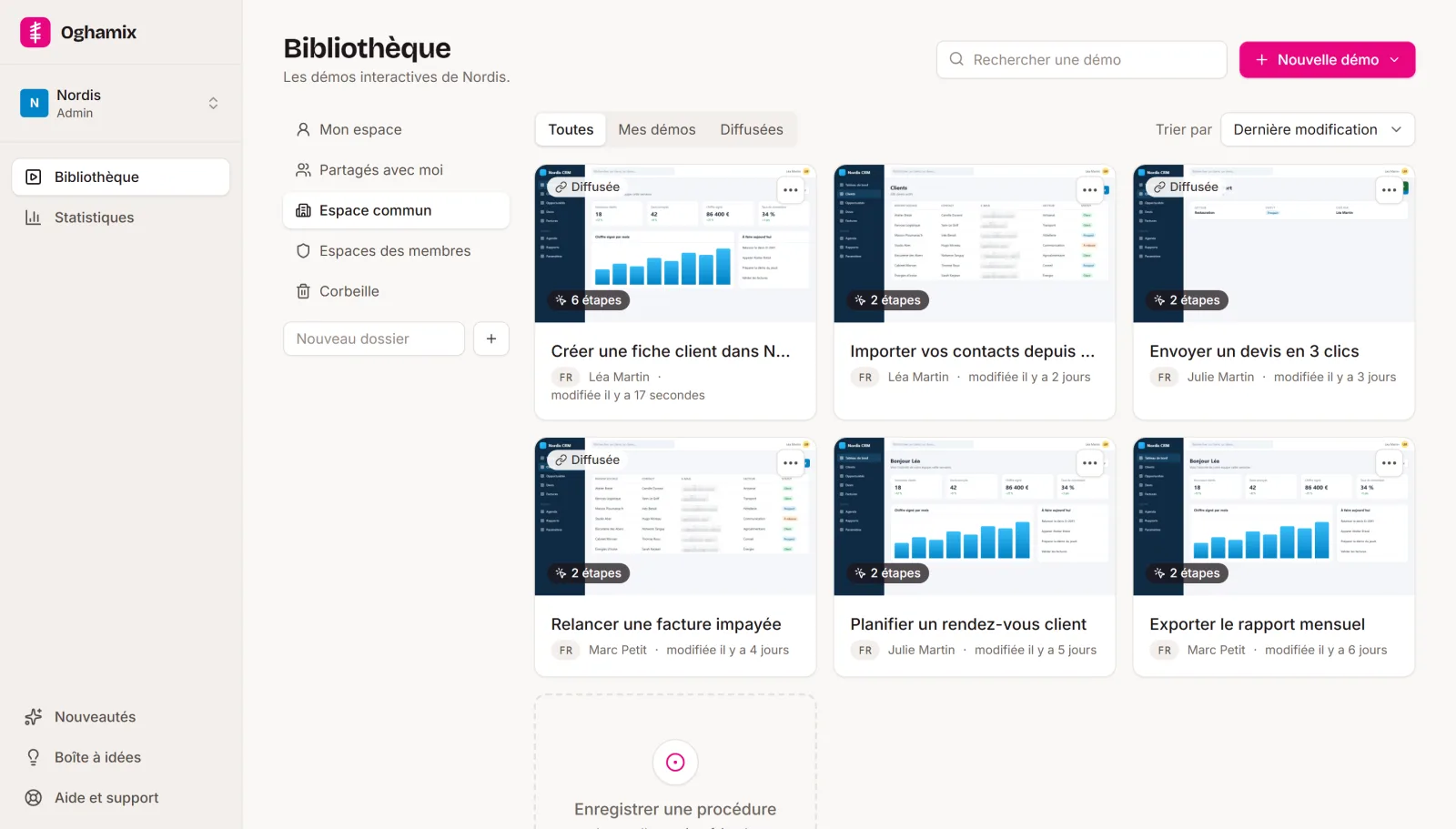
When someone gets stuck on an internal tool, they go and find a colleague or open a ticket. Record the procedures for your business software: each one becomes a clickable guide that anyone can open from a link, plus a Word or PDF step-by-step guide if you need one.
Fewer “can you show me?” moments around the office.
What you get
Self-service help for your software.
-
Fewer first-level tickets
“Where is the button to approve an order?” gets answered without going through support.
-
Help at the right moment
A direct link to the right step, to put on the intranet, in an email or in the tool itself.
-
Effortless updates
A procedure has changed? Re-record only what changed; the rest of the demo is kept.
-
Security and GDPR
Automatic blurring, hosting in France, private workspaces and permissions by team.
Use cases
For all the tools you use every day.
-
New starters
In-house tools explained from day one, without tying up a colleague.
-
Software roll-out
For a new ERP or CRM, one guide per everyday task, ready on go-live day.
-
Rare procedures
Year-end closing, stocktaking, everything people forget from one time to the next.
-
IT support
A demo to send in reply to the questions that keep coming back.
-
Compliance
Up-to-date step-by-step guides in Word or PDF, made from the same demos.
-
Multilingual teams
A version of each guide in each team's language.
Getting started
We can get you started.
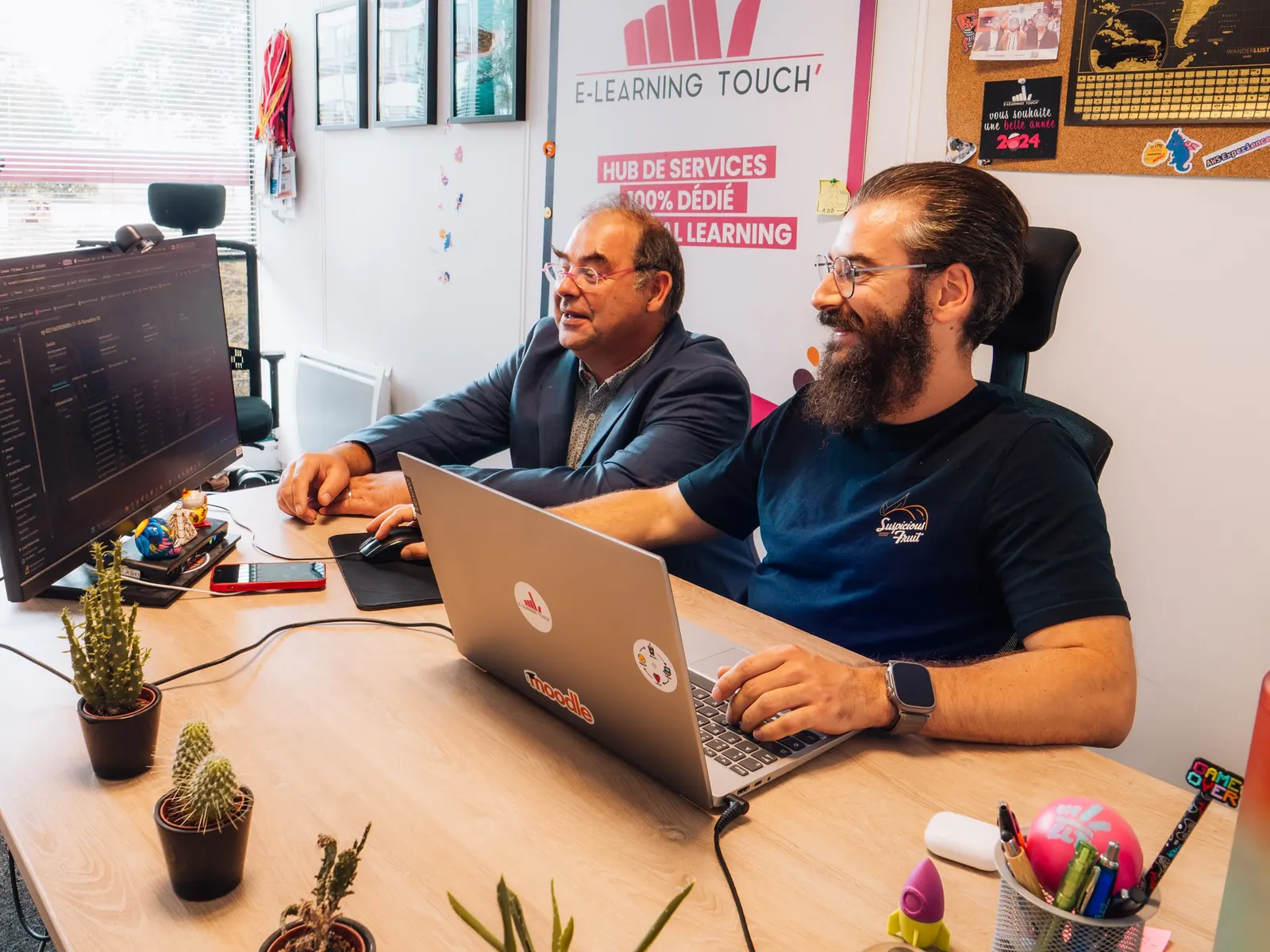
When we roll Oghamix out in a company, we don't just hand you an account and leave you to it. We look at the software involved together, prepare the first demos on the procedures that come up most often, and then your teams take over.
This support comes from the team that has been installing and hosting learning platforms for our clients for years.
Get in touchHow it works
Three steps, and your demo is live.
Record
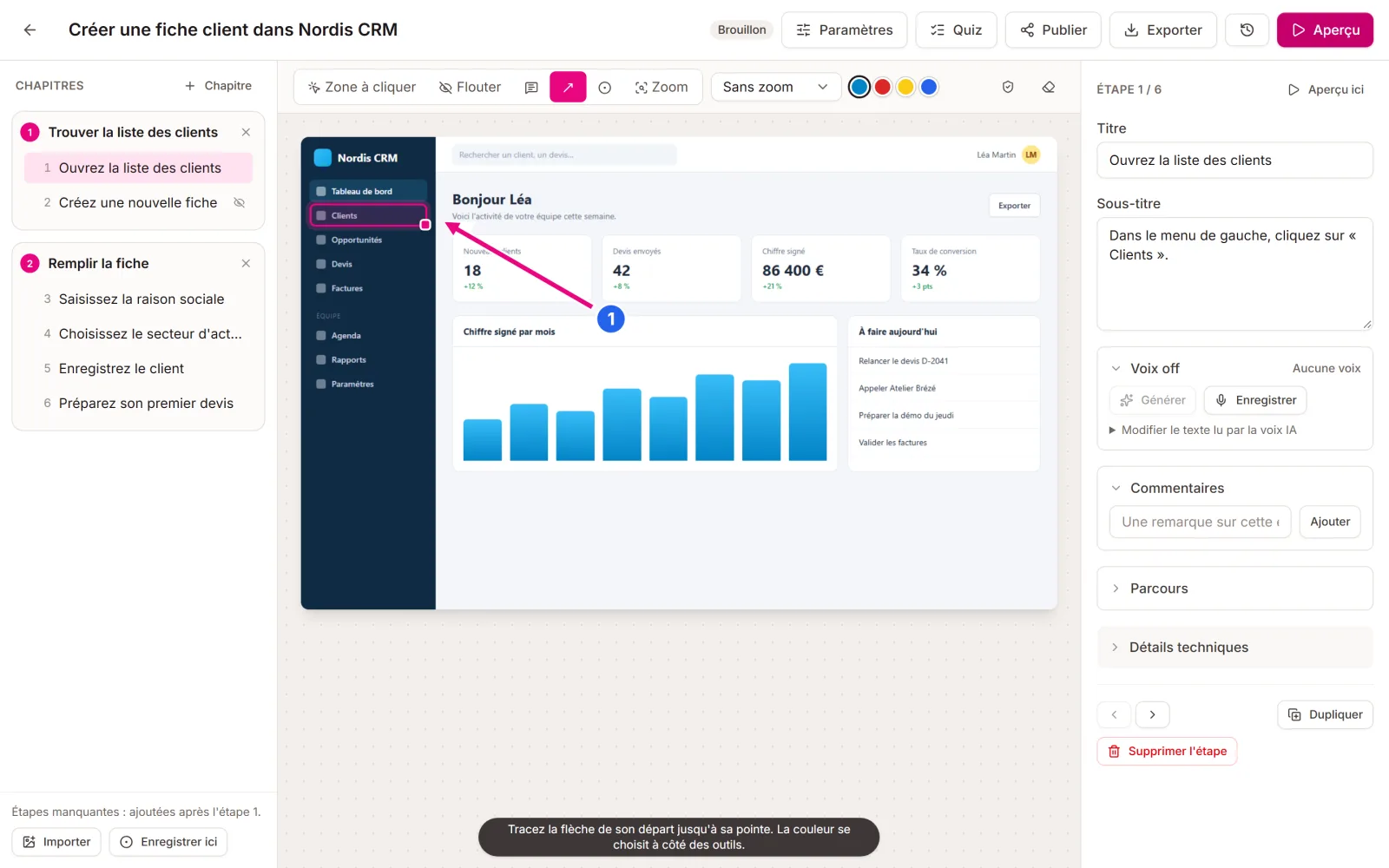
With the Chrome and Edge extension, go through the task in your software. Each click becomes a step, with its screenshot and the area to click. You can also film the screen, or start from an existing Word or PDF guide.
Polish
AI writes the titles and instructions, splits the demo into chapters, adds the voice-over and spots the data to blur. You review, adjust an area, add a quiz or branching paths.
Share
Share a link, embed the demo in a page, publish it in Moodle, through LTI or as SCORM, or export a Word or PDF guide and a video.
Questions
Frequently asked questions
Another question? Get in touch.
Can we keep the demos internal?
Yes. A demo can be limited to the members of your workspace, protected by a password, or given an expiry date. With the Team plan, everyone has their own private workspace and shares with the colleagues they choose.
What if our screens show personal data?
Oghamix detects email addresses, phone numbers and names in the screenshots and blurs them before anything is shared. You can adjust the areas by hand.
Can we get a document rather than a demo?
Yes. Every demo can be exported as a Word or PDF step-by-step guide, with the screenshots and instructions, and as a video.
Do you offer support getting started?
Yes, for companies: we work with you on the first demos of your software and on rolling them out to your teams.
Let's talk about your internal tools.
We work with you on the first demos of your software. You can also try it on your own with a free account.