
Software companies
Interactive demos that get your software adopted.
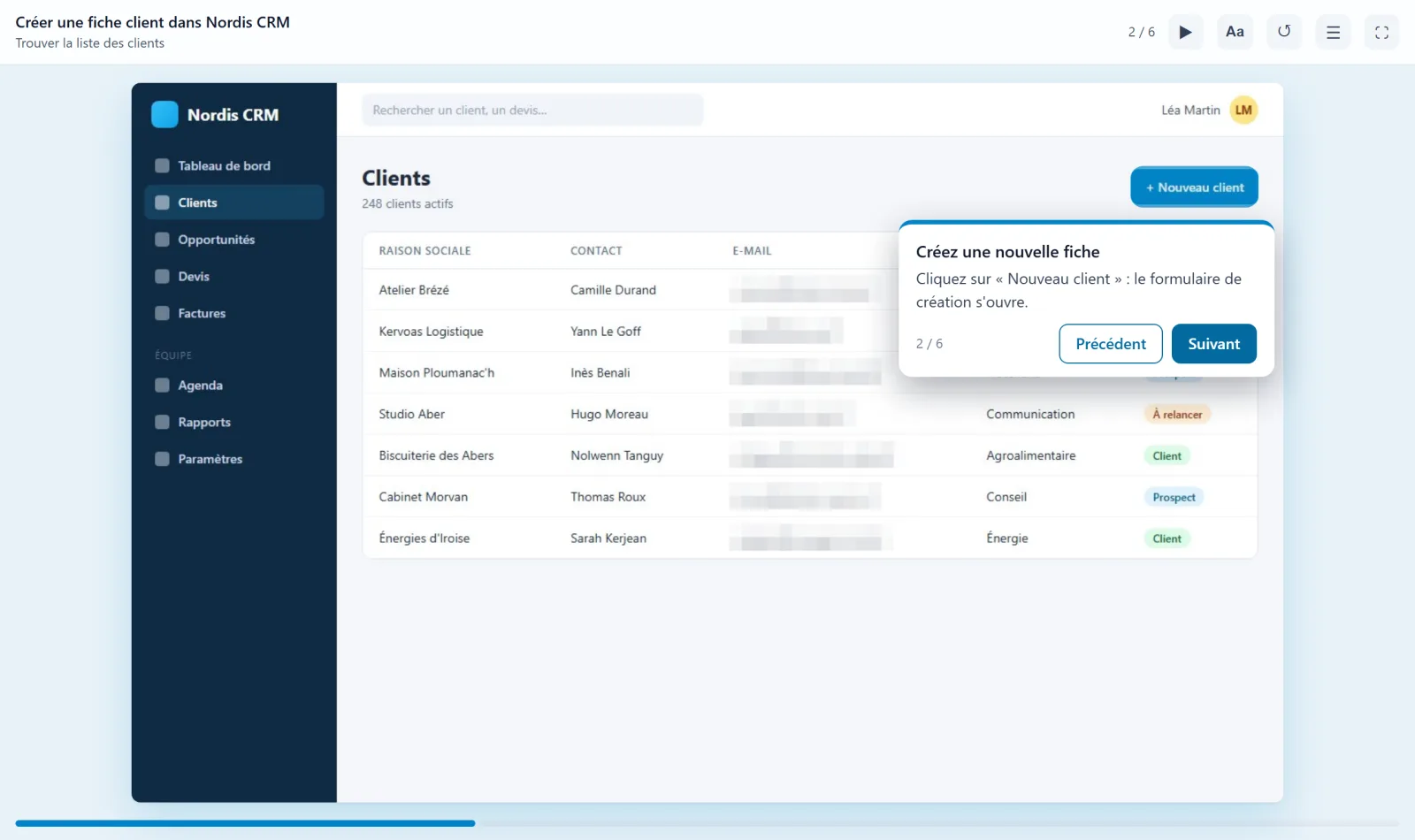
A user who can't work out how to do something in their first few days often ends up leaving. Go through the task once in your software: Oghamix turns it into a clickable demo, with instructions, voice-over and sensitive data blurred. You can put it on your website, in your help centre or right inside your application.
Show the way instead of explaining it.
What you get
Show rather than explain, at every stage of the customer journey.
-
Faster activation
A clickable demo before sign-up or at first login: users understand what the tool is for before they even try it.
-
Fewer support tickets
Instead of opening a ticket to ask how to do something, users follow the demo that shows them the way.
-
Up to date in minutes
Has a screen changed? Re-record just that section, without starting over.
-
Embeddable anywhere
A link, an embed on a web page, your help centre, or directly in your customers' LMS.
Use cases
One demo, many uses.
-
Pre-sales
A demo to send after a meeting, or freely available on your website: prospects explore the product at their own pace.
-
Onboarding
The key first steps in the right order: create an account, set things up, do the first useful task.
-
Help centre
One demo per frequently asked question, embedded next to the article or in place of it.
-
New features
Announce something new with a demo rather than a long piece of text.
-
Customer training
Complete courses with quizzes, published in your customers' LMS as SCORM or through LTI.
-
Internal teams
Support, sales and implementation staff all work from the same demo.
A software company too
We know the problem from the inside.
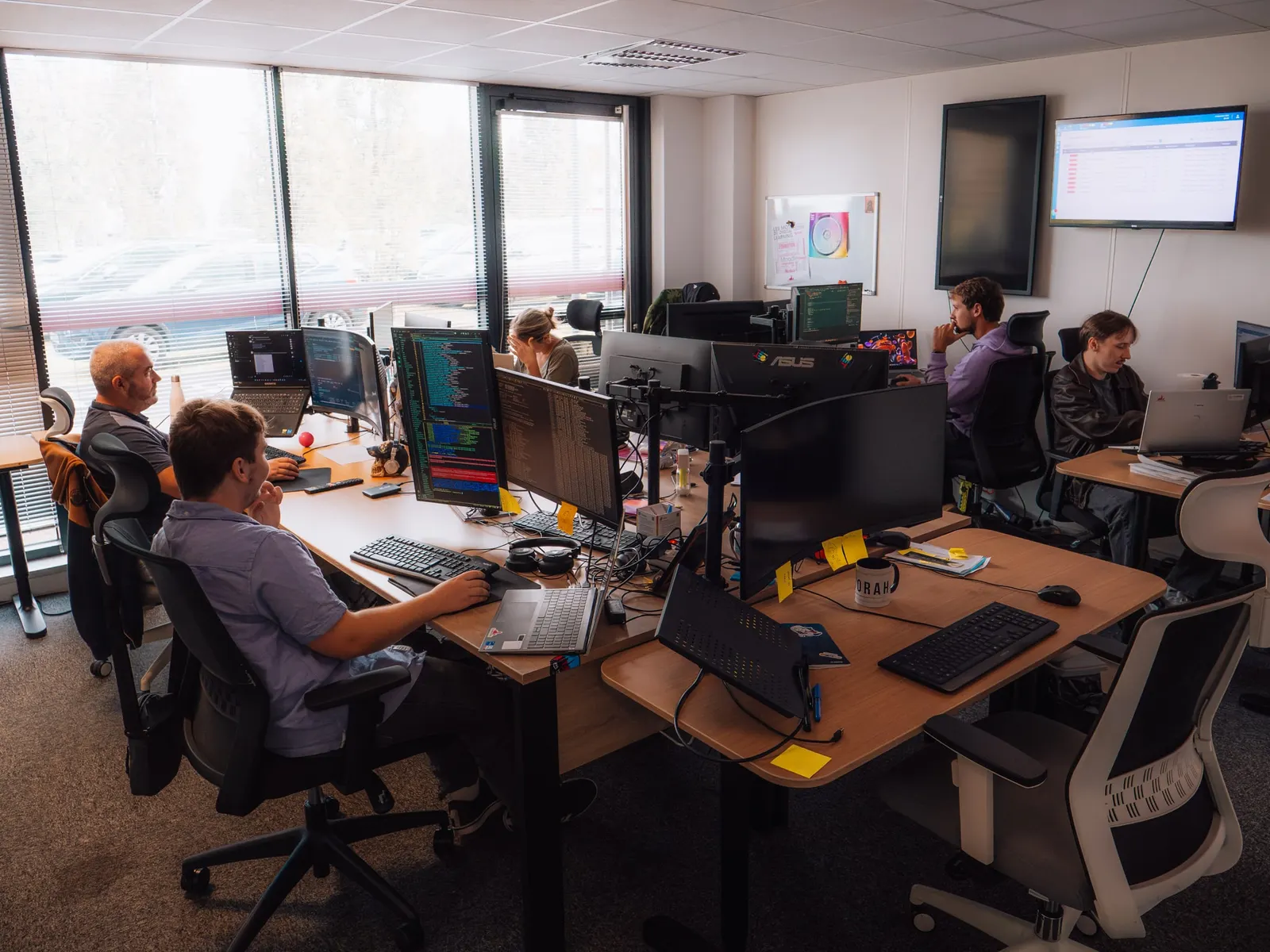
At E-learning Touch', we develop GoodMood, our Moodle-based LMS, and our own Moodle plugins. Building a new feature is one thing; getting users to actually use it is another, especially when nobody reads the release notes.
That is where Oghamix comes from: a two-minute demo sent at the right moment does more than a page of documentation.
How it works
Three steps, and your demo is live.
Record
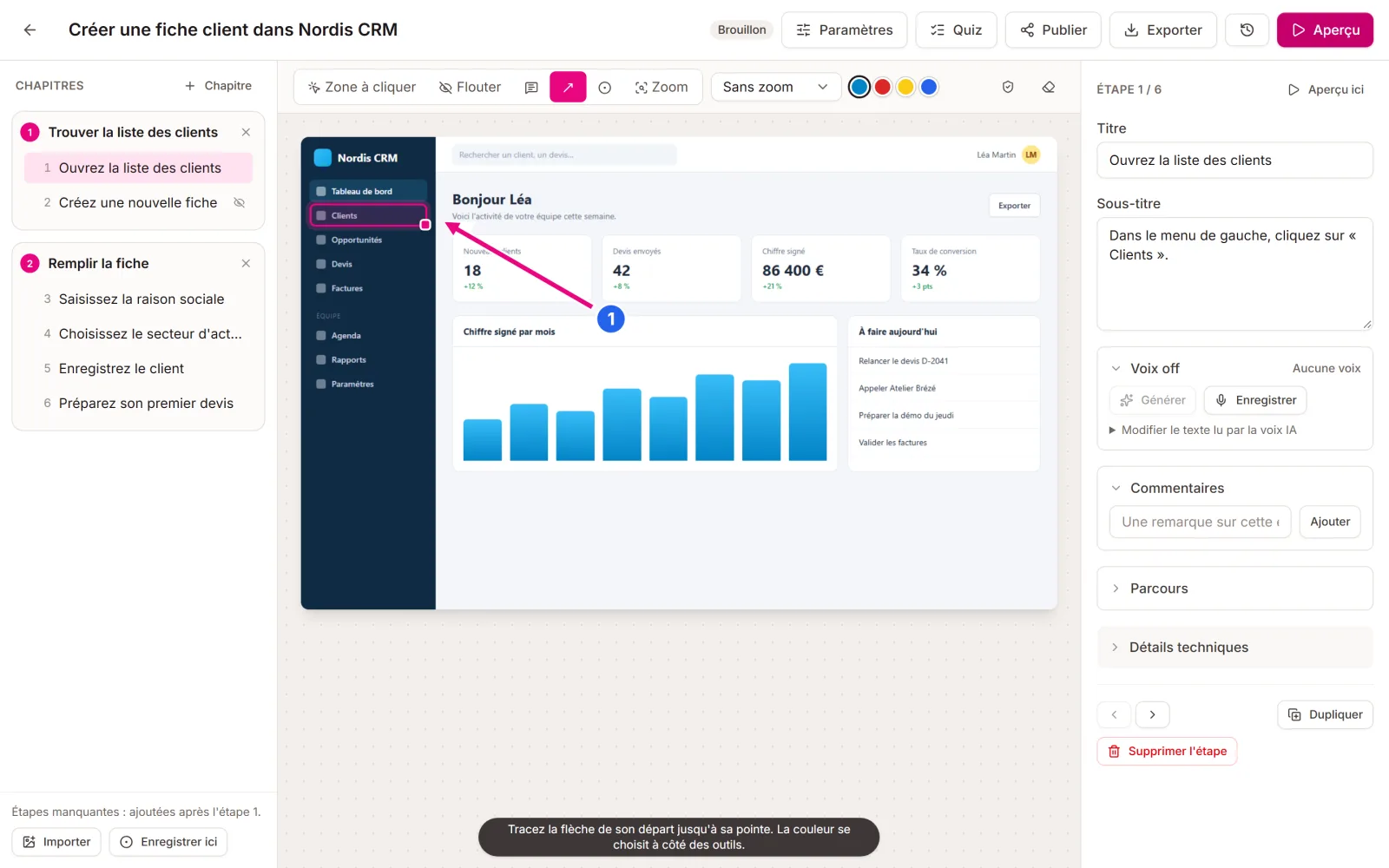
With the Chrome and Edge extension, go through the task in your software. Each click becomes a step, with its screenshot and the area to click. You can also film the screen, or start from an existing Word or PDF guide.
Polish
AI writes the titles and instructions, splits the demo into chapters, adds the voice-over and spots the data to blur. You review, adjust an area, add a quiz or branching paths.
Share
Share a link, embed the demo in a page, publish it in Moodle, through LTI or as SCORM, or export a Word or PDF guide and a video.
Questions
Frequently asked questions
Another question? Get in touch.
Can we embed a demo in our app or website?
Yes. Each demo has a link and an embed code (iframe) that you can place on a web page, in your help centre or on a screen of your application. The player adapts to desktop, tablet and phone.
What happens when our interface changes?
You only re-record the section that changed, from the editor. The other steps, with their text and voice-over, are kept. The demo link stays the same.
Our screenshots contain customer data. Is that a problem?
Oghamix detects email addresses, phone numbers and names in the screenshots and blurs them before anything is shared. You can also add or adjust blurred areas by hand.
Can we track how the demos are used?
Yes: number of views, completed demos, time spent and drop-offs step by step, so you can see where your users give up.
Show your software as it really is.
Create your free account and record your first demo in a few minutes. No credit card needed.